Address: 2575 Black Hills Drive, El Dorado, CA 95623
Primary Phone Number: 209-835-2720
Occupation: Manager
Additional Information
Charles is not married, and has no children.
He received health insurance through his employer for the year.
Charles wants to e-file, have prep fees deducted from the refund, and receive a paper check.
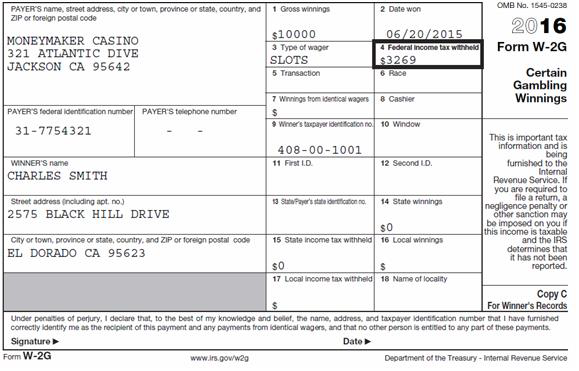
Charles likes to gamble and has a W-2G.
Answer Check: Federal Refund - $2079
Available Documentation
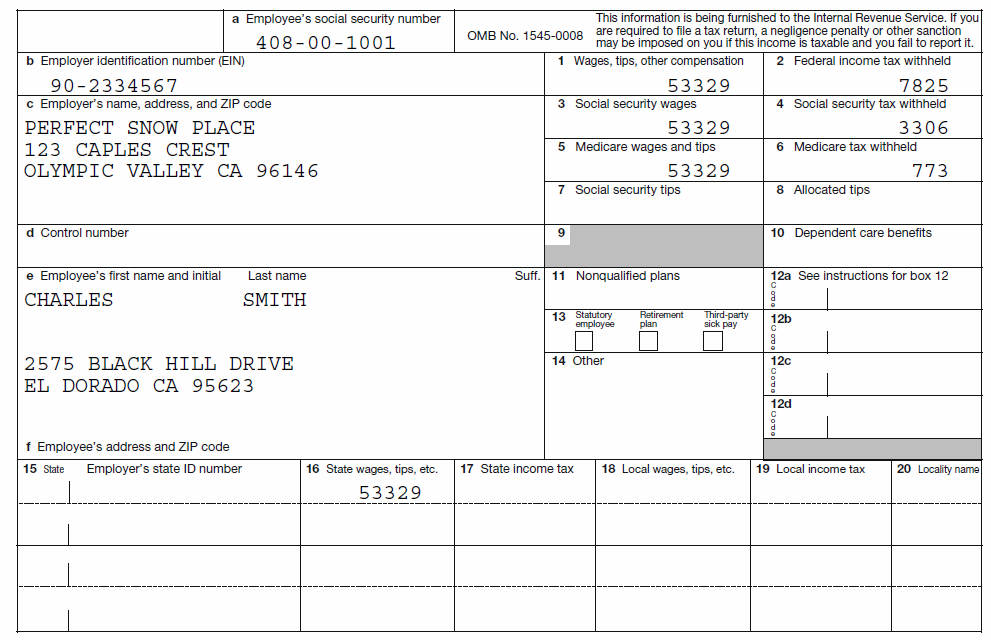
1 Form W-2
1 Form W-2G
Part 1 - Enter Client Data:
The first step to creating a tax return is to enter the client’s information. The following instructions will walk you through entering the client’s info into the Tax Program.
In the main menu, click on start new return.
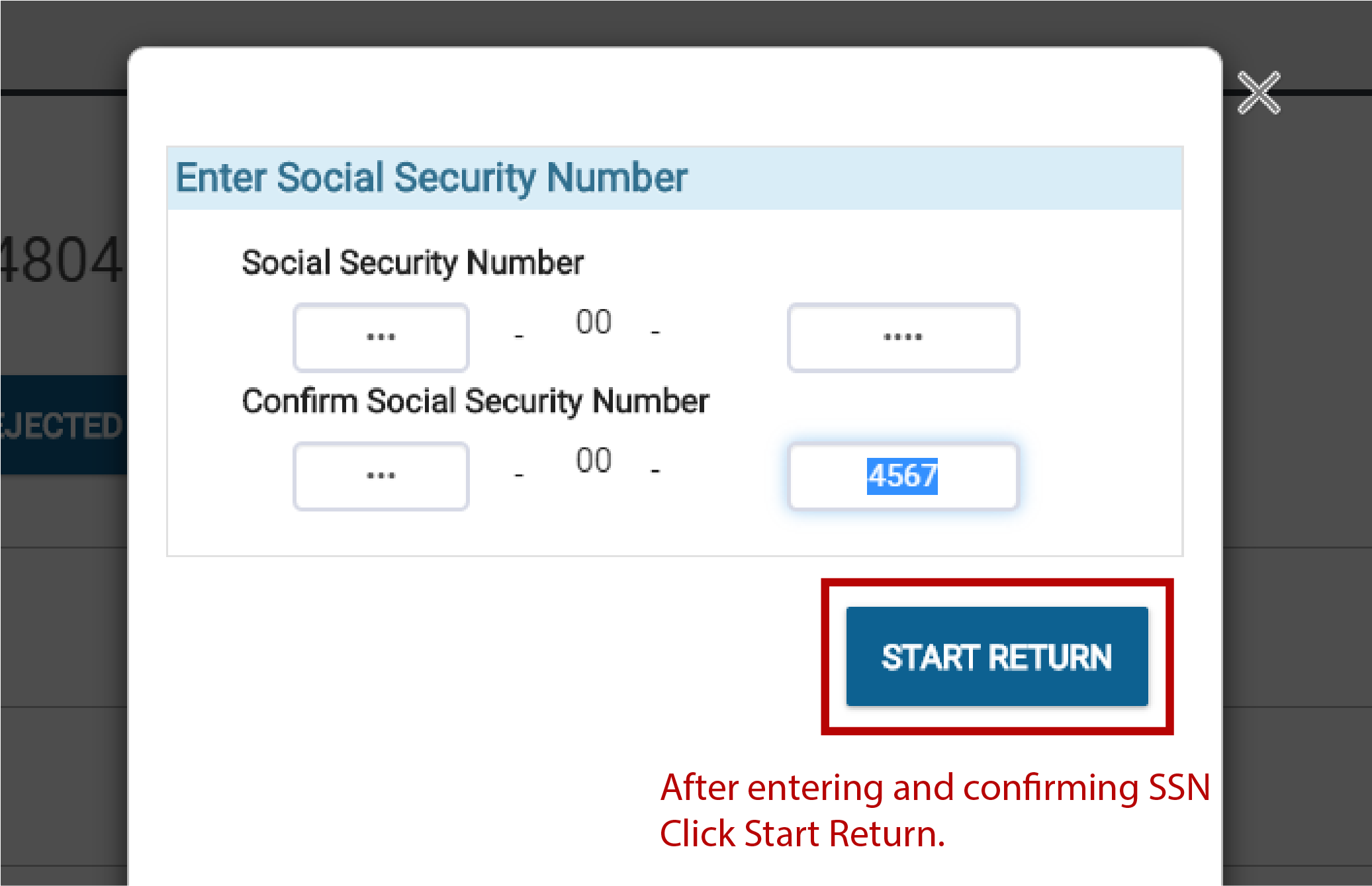
Enter the taxpayers social and click start return.
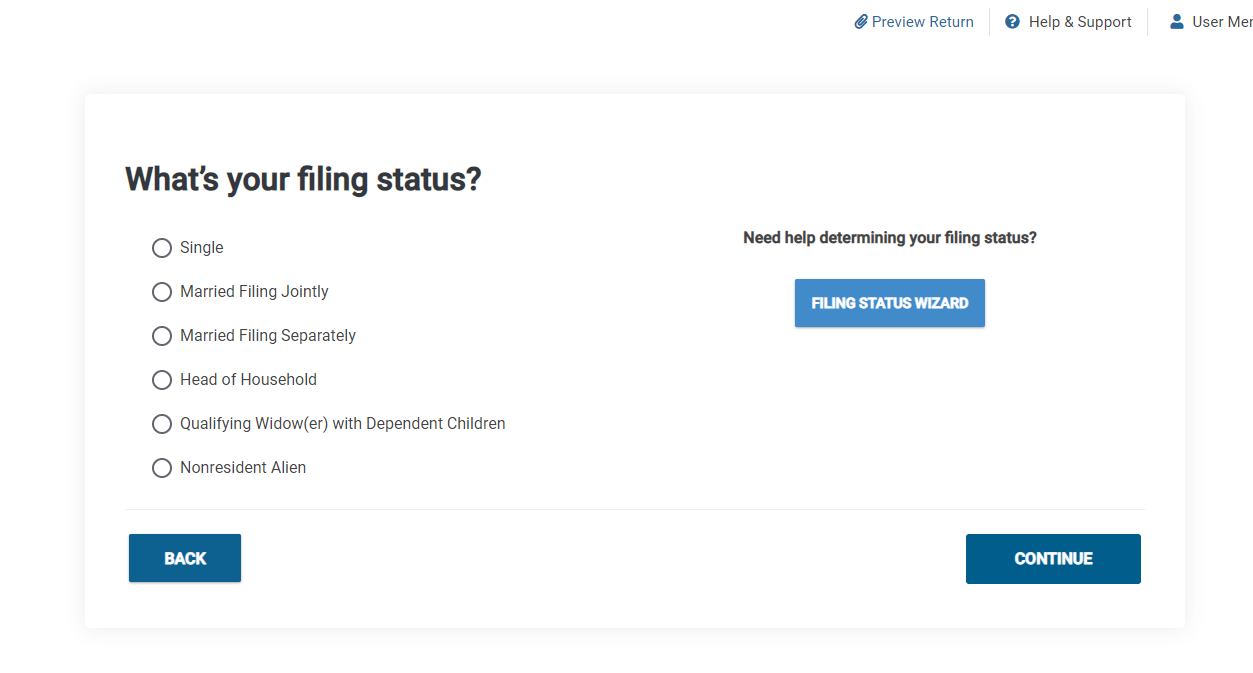
After entering in Primary SSN, the software will ask you to choose a Filing Status, for this Demo you will choose Single and click Continue.
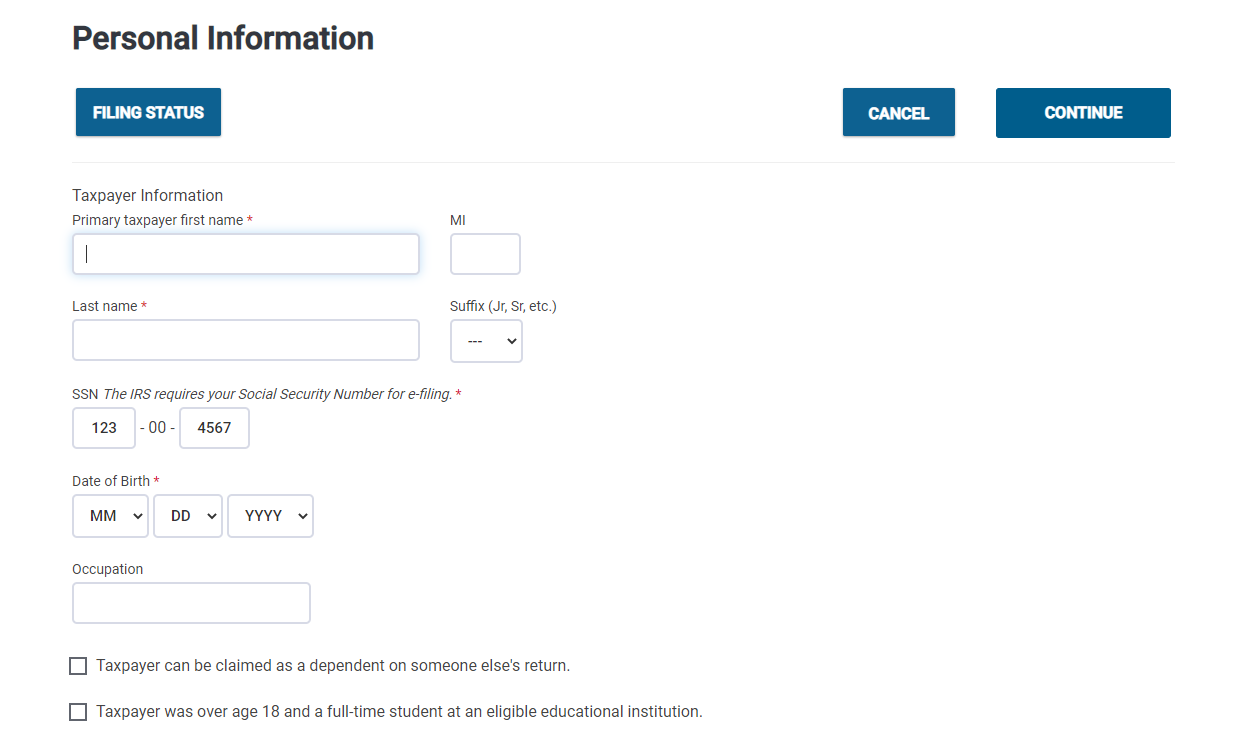
You will now be viewing the Personal Information entry screen. Enter the taxpayer's information using the info provided above. Once you are done here, click Continue.
Navigation Tip - Tab between fields and do your best to avoid using the mouse, this will improve your speed. When entering the zip code data, the program will auto populate the city and state.
Note - You must input two phone numbers for taxpayers requesting a bank product. The email address is used if the client wants a copy of his or her return emailed. In a real tax return you would enter your customer's email address.
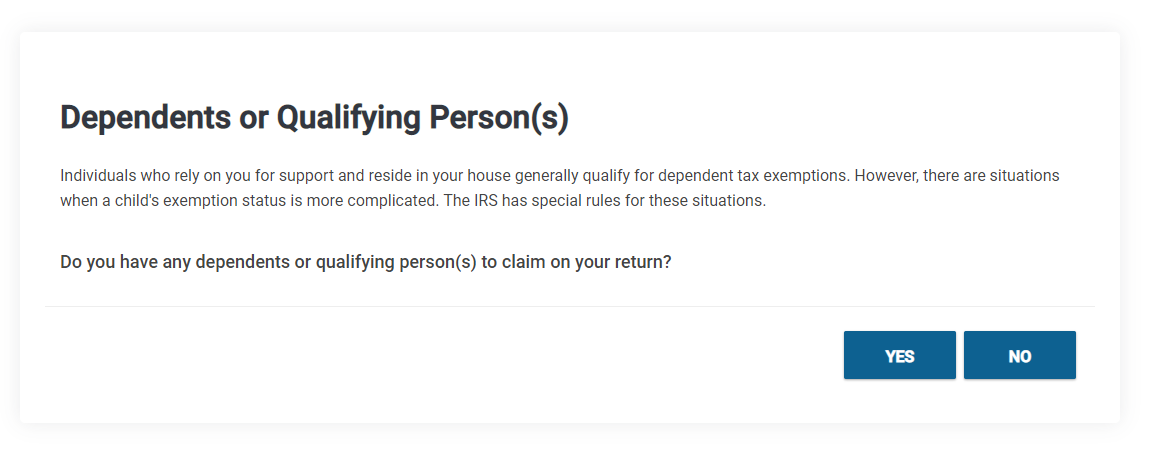
Charles has no dependents so we are going to click NO to continue.
Part 2 - Enter Income:
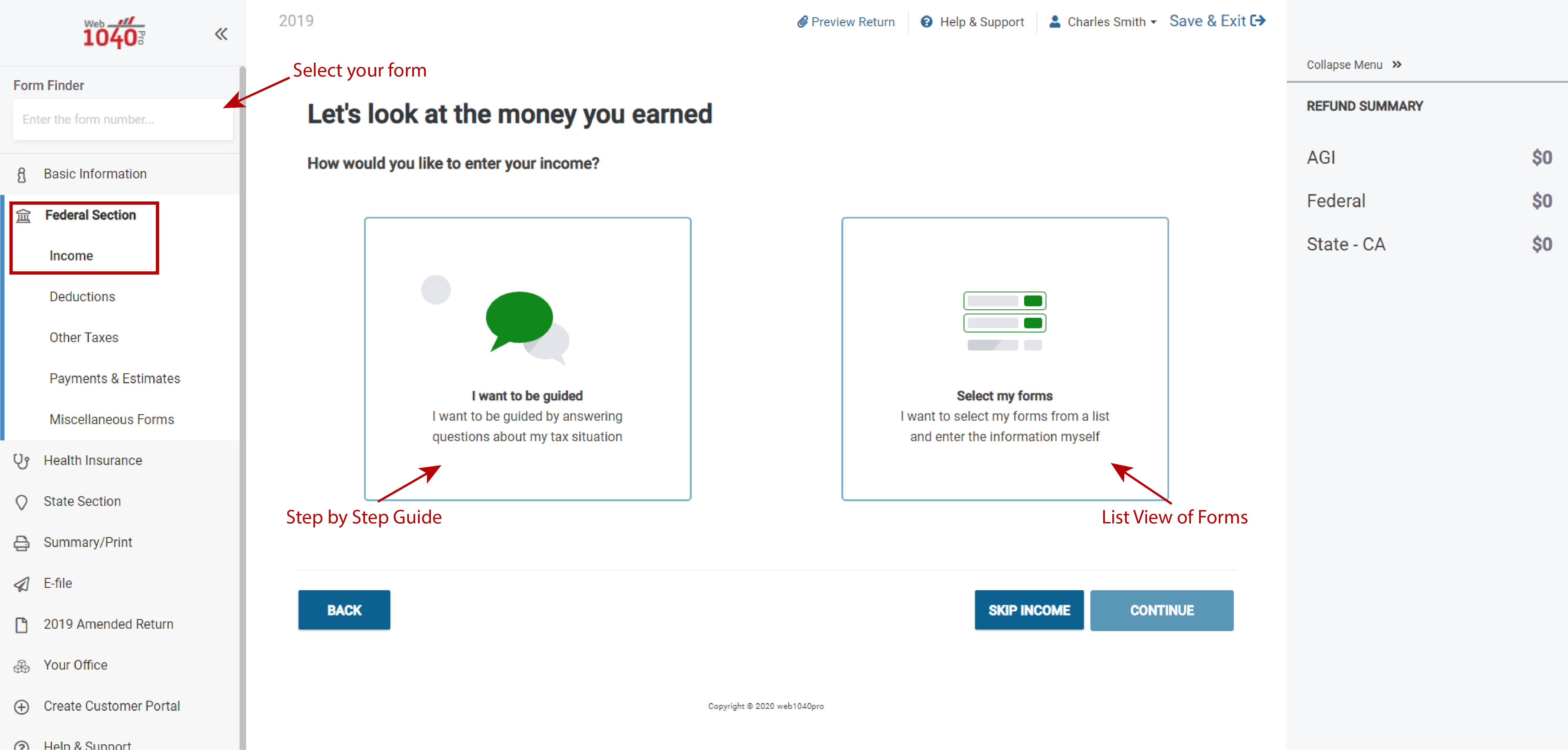
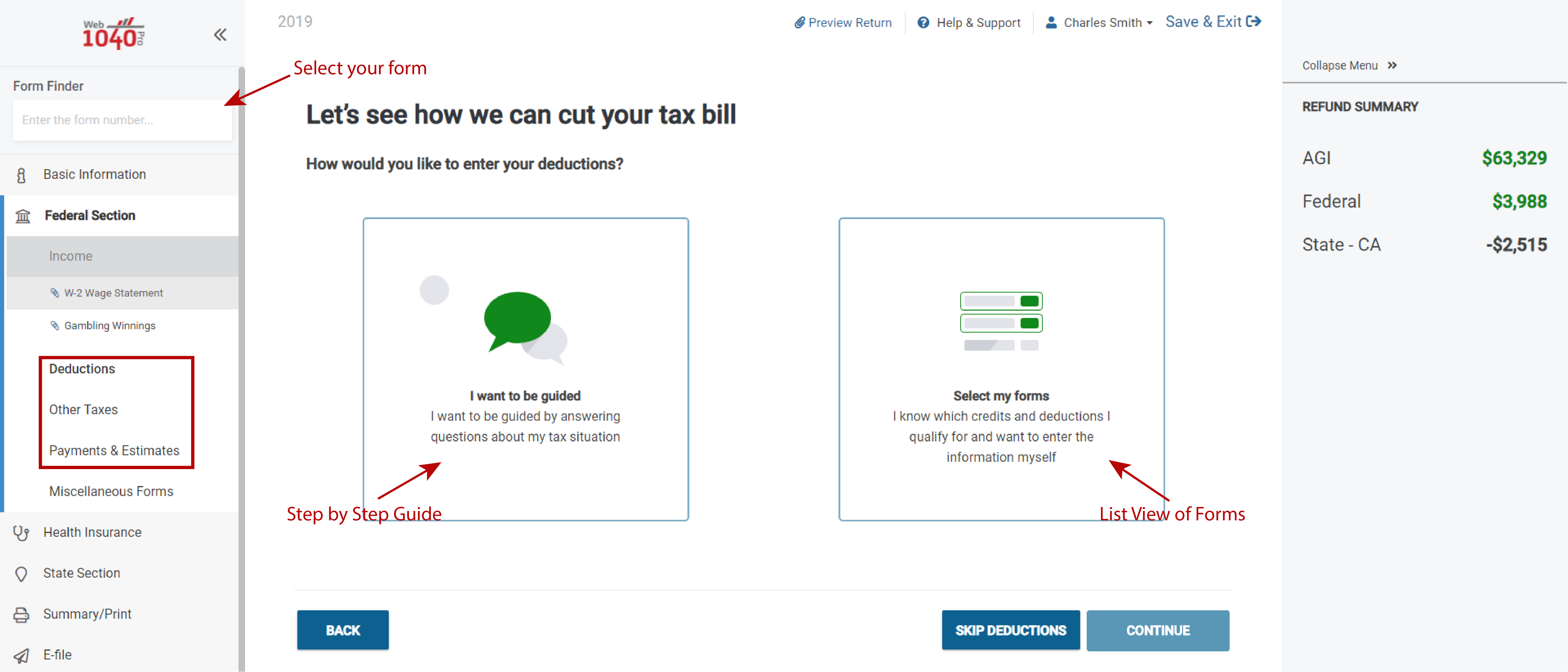
You should now be in the Federal Income screen of the return. You can identify what section of the return you are in by referencing the text in the header labeled Federal Section and Income. The arrows in the image show the different options you have for adding forms.
Navigate to Form W2 using one of the three navigation options presented in the image above. If you are an experienced preparer you will likely be using the Select my forms option along with the Form Finder search bar. If you are less experienced, you may want to use the I want to be guided option until you have more experience. Use the available documents from the beginning of the tutorial to try the different options for adding a W2 and determine your preferred method.
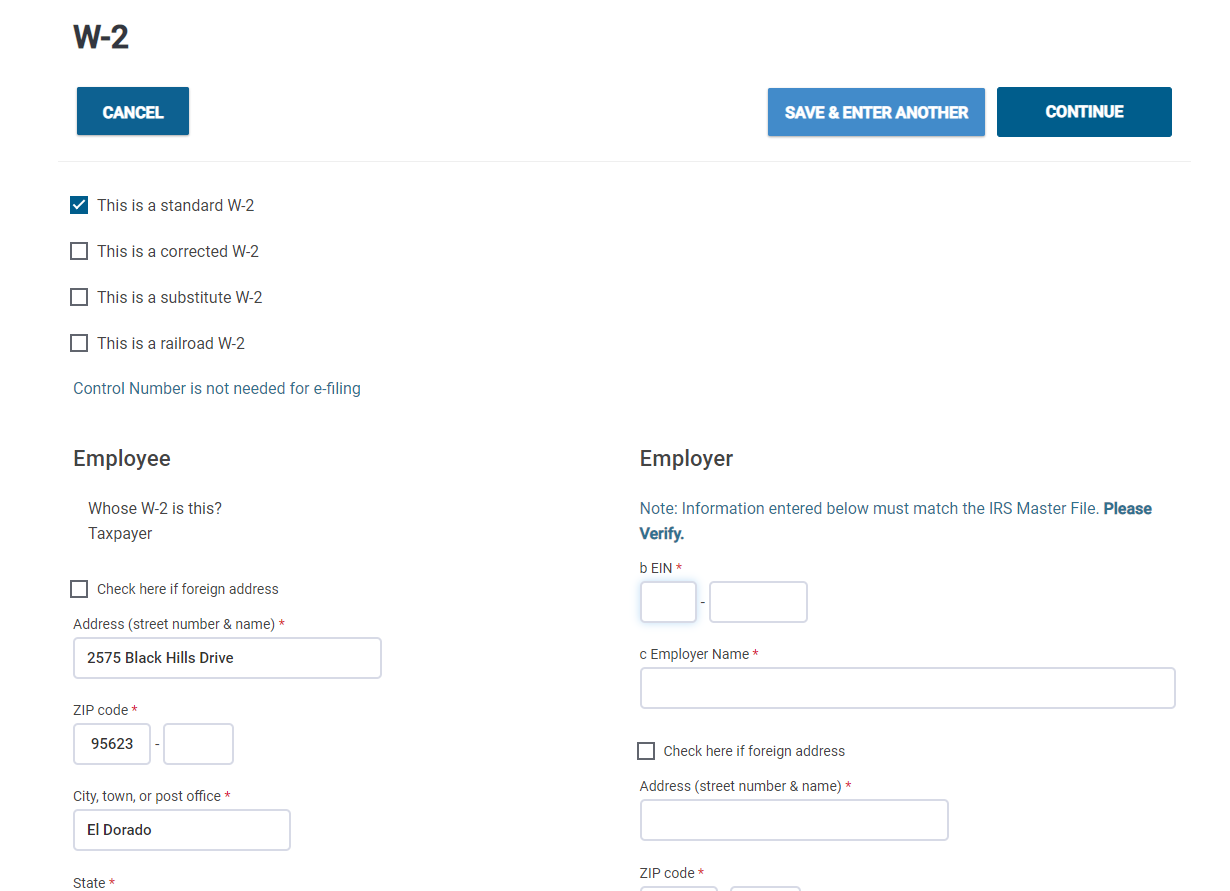
If you are selecting your own forms, click Begin next to W2 and enter the information from the W-2 provided in this tutorial.
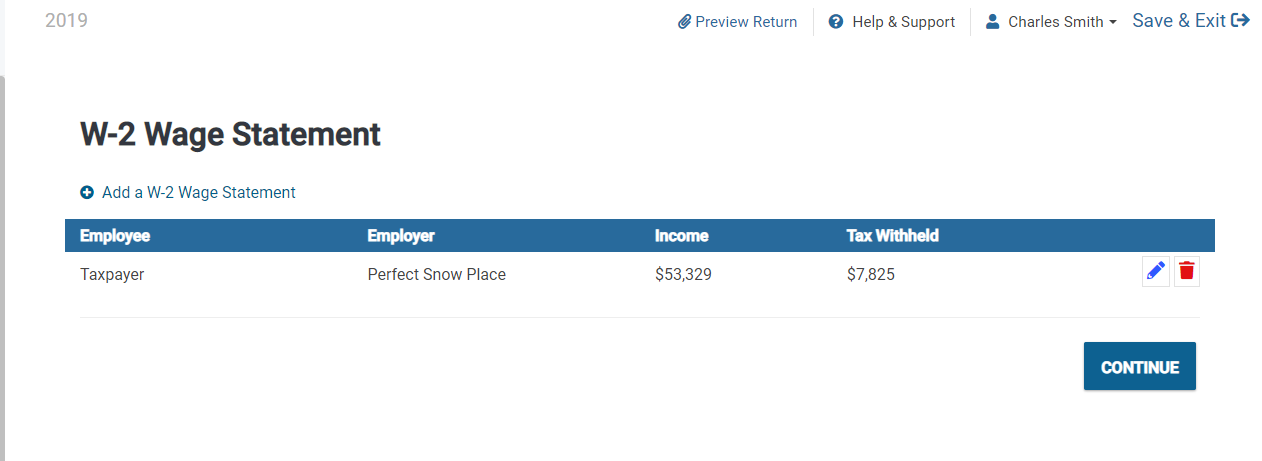
This is what the software will show after completing a W2. In a situation where you have multiple W-2s, select the + Add a W-2 Wage Statement button above the existing W2. When complete, select Continue.
Check Point: At this point you have completed the form W-2 data entry and the federal refund amount should total $2,919. Click Continue to return to the Income Menu.
The next income item to be reported is the W-2G, follow the steps below to enter it:
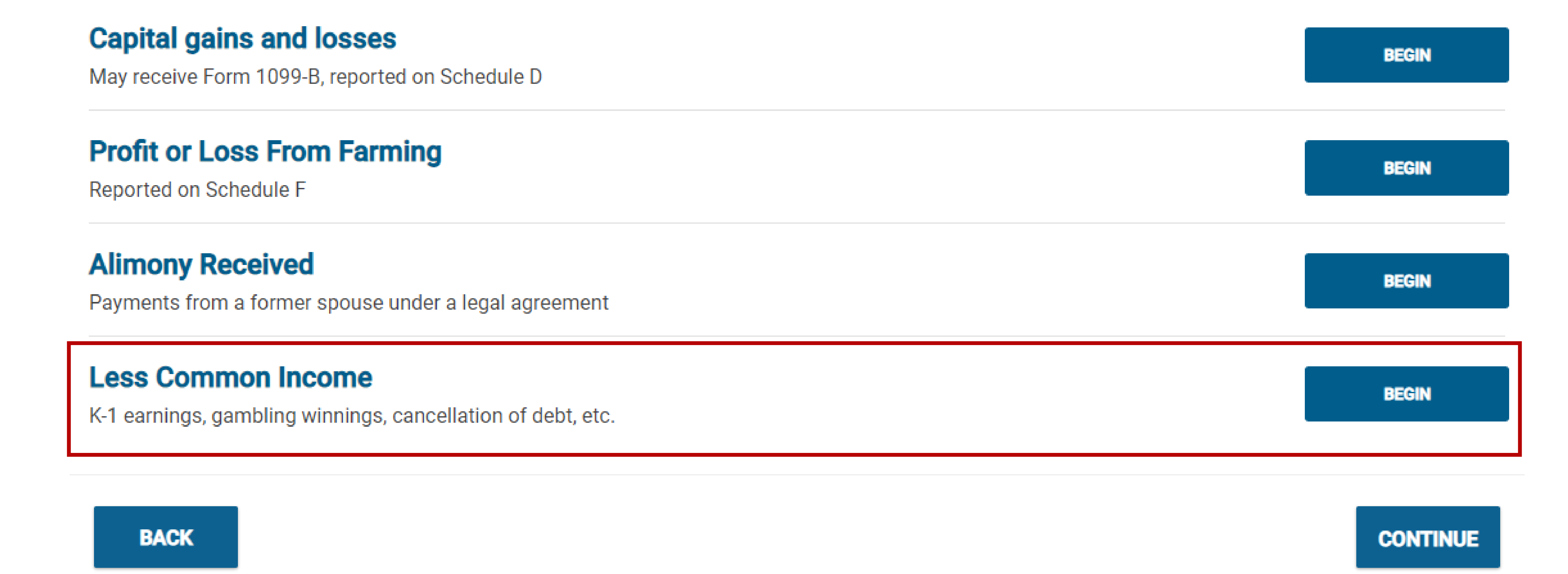
When using the Select My Forms mode, the W-2G is located under Less Common Income.
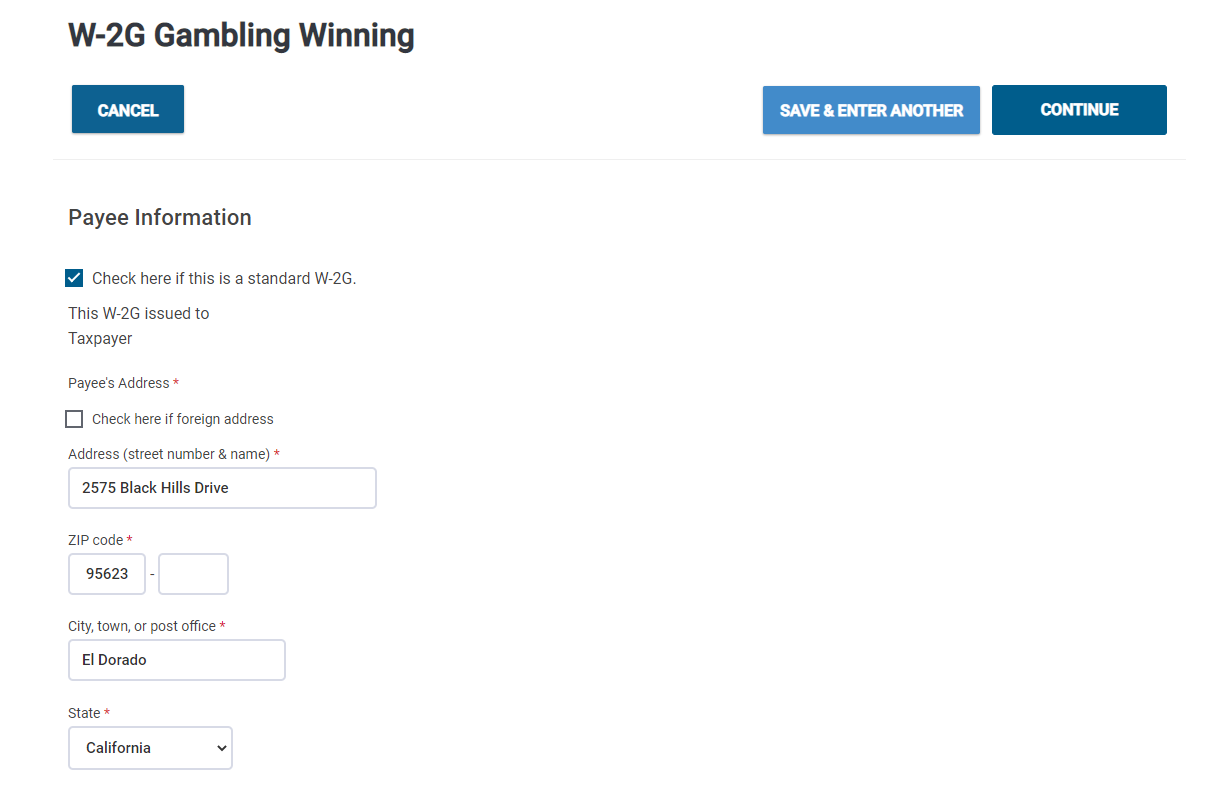
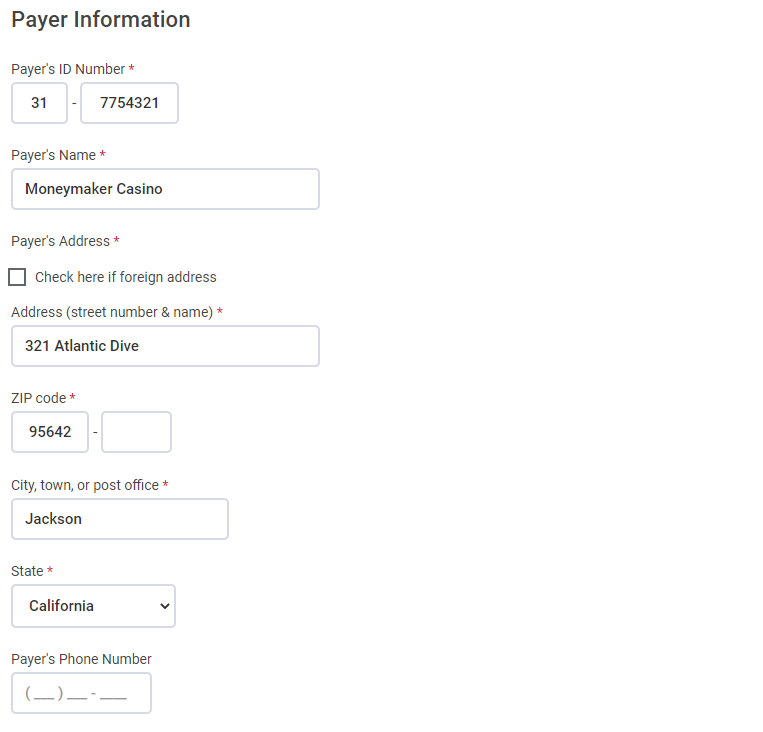
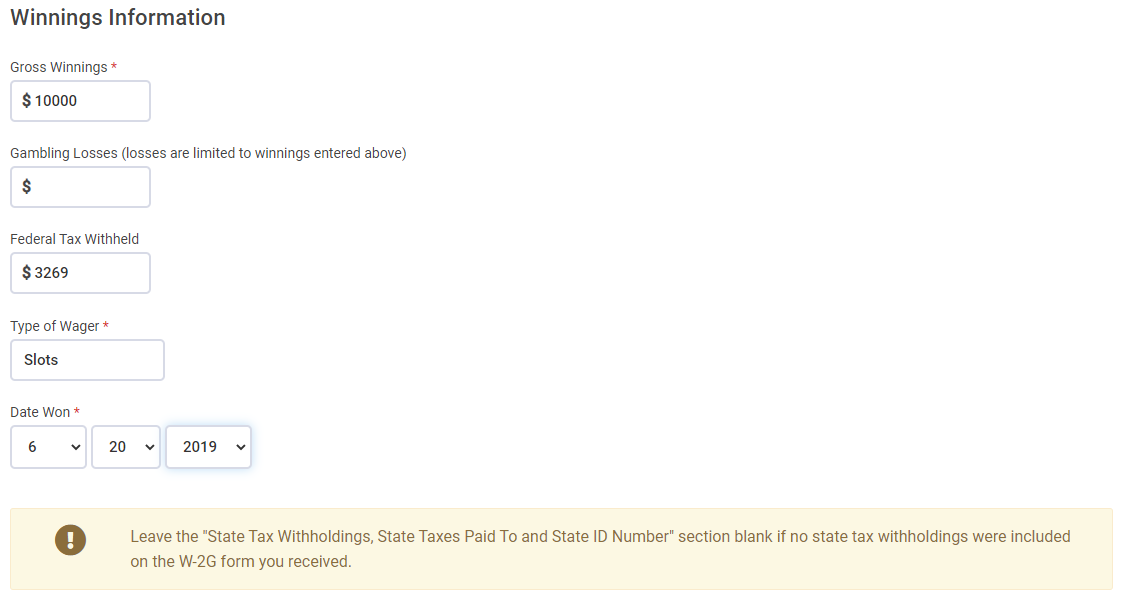
Click Begin next to Gambling Winnings W-2G. Refer to the W2G provided in the tutorial to enter the data.
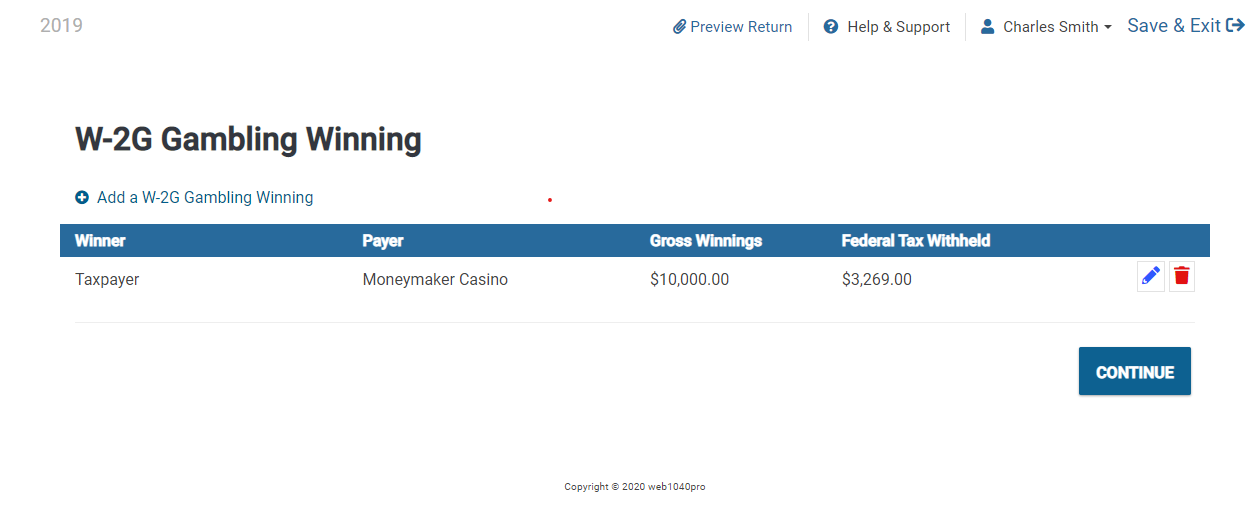
When Form W-2G is completed it should look as shown above. Click Continue if everything is correct.
The W-2G Edit menu will appear for review. If there is nothing to add, click Continue to return to the Less Common Income menu. Click Continue again to exit the Less Common Income menu.
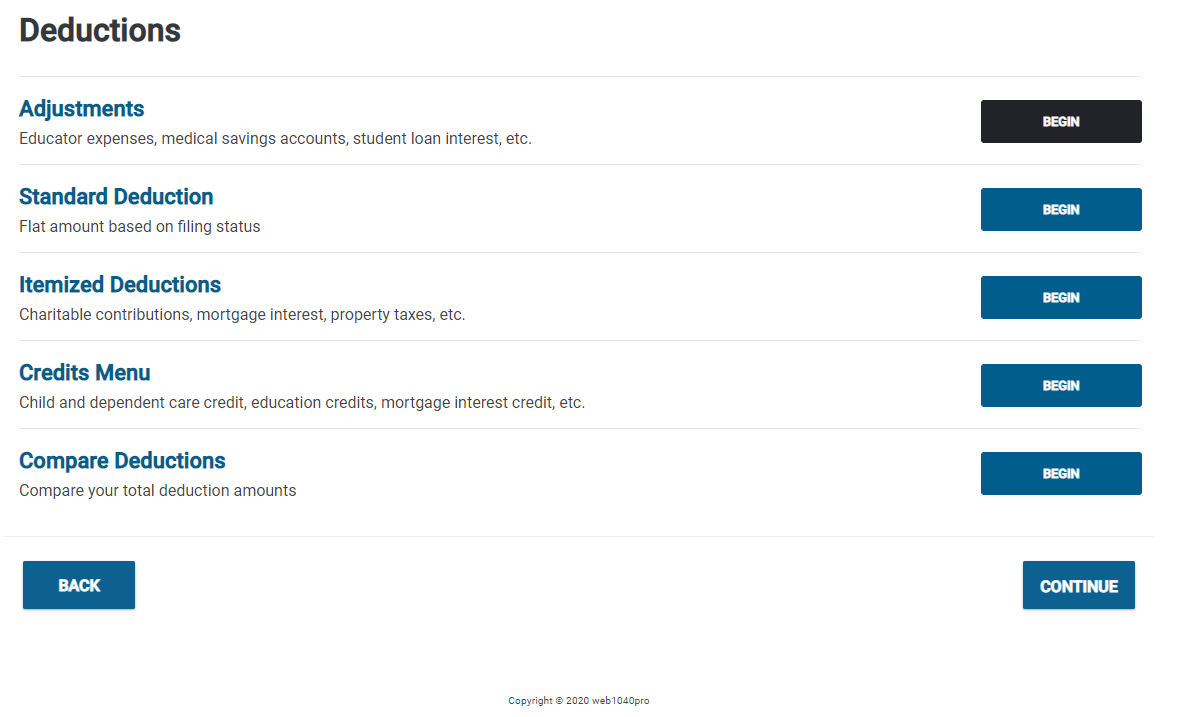
Once you hit Continue you will be taken to the next part of the Federal Section of the return, which is Deductions. You have the same options available to choose from if you would like to manually enter deductions, credits, or adjustments. You can use I want to be guided for an interview-style guide to check for any possible deductions, credits, or adjustments. Since Charles does not have any itemized deductions, credits or adjustments to make we will click Skip Deductions. By default, the program will choose the Standard Deduction based on the Filing Status selected.
If you were to click Select My Forms, you would be taken to the Deductionsmenu where you can enter Adjustments, Itemized Deductions, and Credits.